Subscribe Here RSS or Email

Showing posts with label blog design. Show all posts

10/29/08

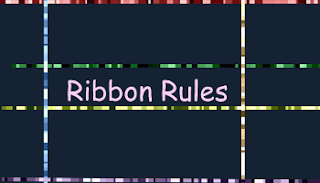
Placing Ribbon Rules

2 comments Buzz Here
One of my favorite veerle's blog have this really cool site design and one that i like is the ribbon. I found this generator from Dynamic Drive Tools to make it more easier for you to generate a horizontal alternating colors or as it calls "Ribbon Rules".
What i like with this generator is that it gives you an option to use a random colors only choosing a one color as your base or to individually select colors that you like using color picker or if you already knew the hex color code you can just place it on each section hit generate if not happy try again or reset until your satisfied, how hard can it be?

You are also given a CSS code to use, so for newbie or those who are not familiar with coding it easy as ABC.

But...here's what to do if you want to use ribbon rules with blogger.
  1. Go to Dynamic Drive Tools Ribbon Rules Generator to generate your ribbon.
  2. Follow the instruction and upload them to Photobucket, Google Pages or any of your image hosts.
  3. Go to your Blogger Dashboard - Layout - Edit HTML
  4. In your Keyboard Hit Ctrl+F then type body { (If it won't work just look for this Code manually)
  5. Then Add the CSS Code given; This is what the code look like once your done.


background:#1f2a22 url(ribbon.gif) top left repeat-x;
margin:0;
padding-top: 10px;


You can always change the hex color code to anything background color you want. This is simple yet make your site look neat and stylish. I hope you like it and have fun with colors.

8/9/08

How to download Fonts

0 comments Buzz Here
I will start posting tutorials of how to use Gimp and a little bit of sharing of what i have learned with Gimp.
Today, i will first will share on how to download Font so that if you can start making your own header or even re-design your Entrecard Card. I know this is not new for some but there are others that have not tried or even think of doing this but once tried it changed the way they look of designing.

There are many Fonts that are free to download and beautiful, but before i will share of where to get them i will give you the steps on how to download.


Simple and Easy:

  1. Find a font that you like to download once you have decided which one choose of either win or mac...
  2. Click download (It's so easy if you are using winrar to unzip but if not that's fine)
  3. You will be asked to where to extract the file find Windows then Font
  4. That's it!
Here where you can find great Font's including my favorite fonts.
  • Smashing Magazine - I start witl smaching magazine because they have a lot of fonts to share and a truly beauty.
  • DaFont - So much to choose and always my first destination when i looked for a new font.
  • Fontstruct - Build your own font or simply download the font you like.
  • Urban Fonts - what kind of font are looking? a sophisticated or a 3D, what about Western you can find them all here.
  • 1001 Free Font - the Title say it all, i am sure you will find what you are looking for.
  • Webpage Publicity - 6500 Free Fonts you cna download that's a lot.
  • Fontica - Another great place to find some great fonts.
  • Download Free Font - Try to find here if you can't fond what you are looking in the list.
It's is great to see that we are using a great font for our header instead of just the normal and default font, it attracts attention and i believe that every detail in our site is important, it's not just a header but it's the first to load obviously and it's where we get known as from what is in our header and even the widget card of our entrecard.

6/20/08

How to Add a Message Board to your Blog Site

0 comments Buzz Here
How would you like to add a message board to your site? Look at the top of my latest post it's my message board...i can change any text whenever i want without intruding my other post or template.


Their are times where we want to leave a message to our readers and we want the message to stay at the top of our post. I have read a few blogger put a message at the top of their post then they start the message with "This is not a post, scroll down to read my post" it's annoying isn't it Nothing to worry anymore, Here's how to add a message board to your template or blog.

Open your Blogger Dashboard click Layout then Edit HTML

  1. Hit Ctrl+F key then find <div id='content-wrapper'>
  2. Add this code:

<div id='message-board'>
<b:section class='msgbrd' id='msgbrd' maxwidgets='1' showaddelement='yes'>
<b:widget id='Text1' locked='false' title='' type='Text'/>
</b:section>
</div>
Now we need to add the Style for your Message Board:
Hit Ctrl+F again then look for ]]></b:skin> -- copy below code before ]]></b:skin>

/* Messageboard */
.msgbrd h2 {
display: none;
}

.msgbrd .widget-content {
padding: 2px 2% 10px;
background-color: #FFFFFF;
border: 2px solid #cccccc;
color: #dbdbff;
font:italic normal 100% Helvetica, Arial, sans-serif;
font-size: 100%;
text-align: center;
}

Edit the color, font to match your site color.

Add your Messages

You can now go to your Page Element and see the new page element at the top after your header's page element (See image below) then open it and start your text.

You're Done!

I hope you enjoy this tutorial and it helps your blogging aswell.

Source: Hans or Beautiful Beta

6/17/08

Color me World

0 comments Buzz Here
What a title, but isn't it color is life? Everywhere we look color is there. Now, if you do it yourself your template like most of us bloggers, we like to work on white background because we are not sure with colors...look at my banner and the body of my site it's not match, it's not even close lol! -- I am working with my header but my brain is like everywhere and not conditioned...so that stays like that until i am ready still thinking for great design.

What i would like to share to day is about colors. I have four sites here that are very helpful for you...you have nothing to worry if the color of your site match or what.

Check this sites and let me know what you think.
  1. Colr.org - I love this, Load your own image (Images that you are inspired with) and they will generate the code for you, fun and So much helpful...very safe.
  2. WellStyled - Paster, Contrast, Pale choose what type of color you like...very handy and safe.
  3. Colourlovers - I am not sure if this colors are obsolete but i love the color collection, have a look and see it yourself.
  4. W3 Colornames - Some of us likes to work with color names.
There so many colors out there that sometimes we are not sure anymore that is why some bloggers settled with white and black not just to be safe but because it's clean and simple but you know sometimes its great to take risk and have a unique color of site but safe at the same time, a color that is not pain in the eye and a color that is so relaxing.

Try to take the risk of choosing color of your site, experiment and dare to be unique.
 

  © Blogger template 'tbn' by thebuzznutter 2008

Bring me to TOP